Every activation on your roster, on one board
Create the team on the web, share a join code, and approve who joins. The Teams portal shows every activation across your creators, so you can see who is on what and what is still due.
Teams account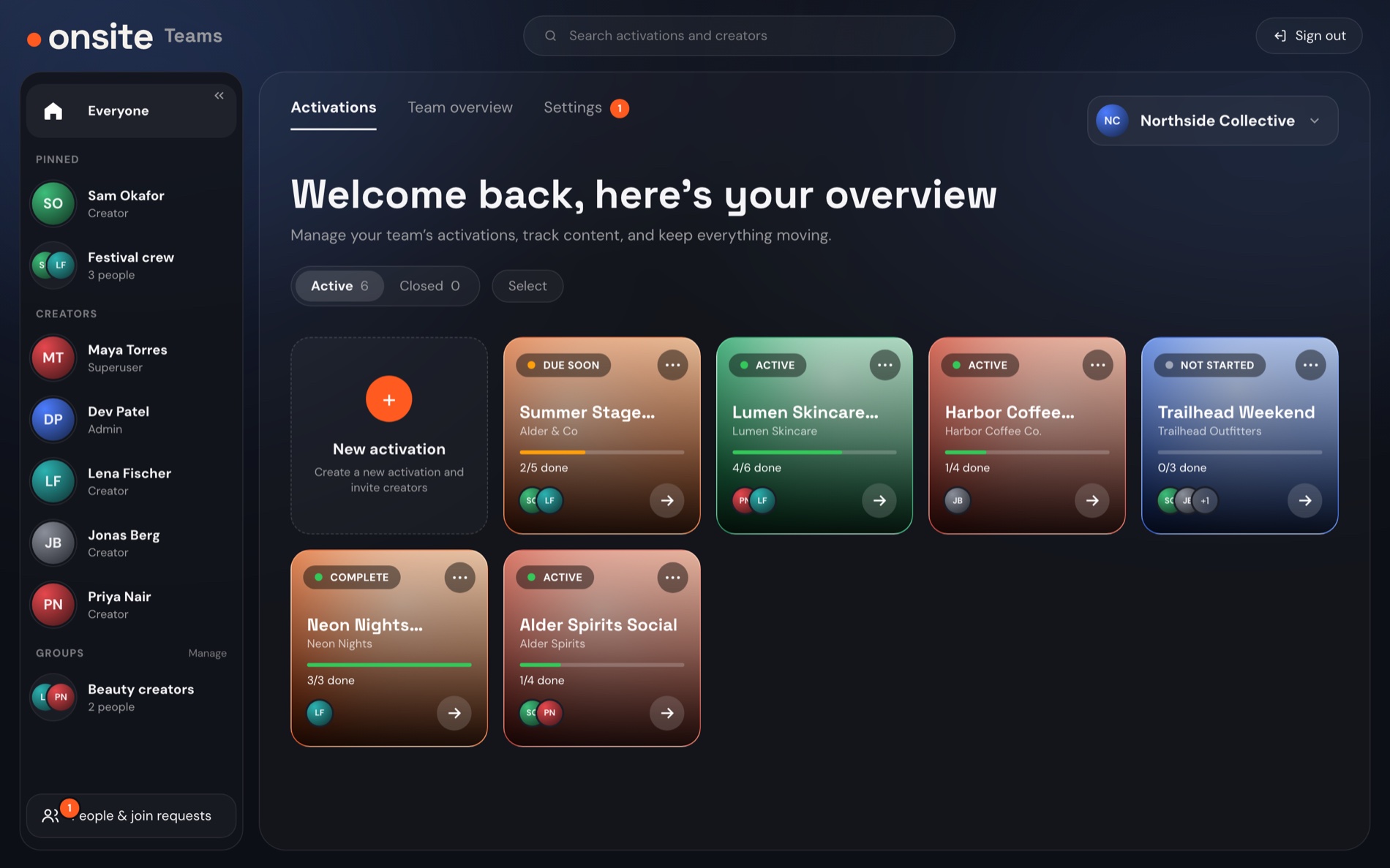
- Pinned people and groups
- One card per activation
- Join requests to approve
Sample data
How a team comes together
Create the team on the web
Tell us about your team and we set it up with you. Teams are created on the web, never in the app.
Share the join code
Creators enter the team’s code in the app to ask to join.
Approve who joins
An admin approves each request. Nobody gets in on a code alone.
Put people on activations
Drag an activation onto a creator, or pick several and assign them at once.
Assign by dragging, or by group
Drag a card onto a person
Or select several activations and assign them to someone in one go.
Save groups of people
Make a group such as “Festival crew”, then assign the whole group in one step. Pin the people and groups you use most.
Open any activation
See its Content Sheet, drafts, client link and activity. Add or edit content items, mark them done, archive when it is over.
Personal stays personal
Creators switch between their own profile and your team’s on one login. Their personal work never shows up in your portal.
Access, by role
Three roles, like the passes at an event. Everyone who can manage the team can also work in the app.
Superuser
Owns the team. Adds and removes admins, and can hand the role to someone else.
Admin
Runs the roster: approves who joins, assigns people to activations and manages groups.
Creator
Works in the app on the team activations they are on, next to their own personal profile.
$75a month
Annual billing is 10% off. Billing opens at launch. Until then you are not charged for anything.
Above 10 users? Contact us for Enterprise pricing.